How to Watch the FIFA World Cup 2026™

The FIFA World Cup 2026™ kicks off this summer across the US, Canada, and Mexico, and there's no shortage of ways to watch it. Here's where to tune in depending on where you are:
| Location | Stream Online | Watch on TV |
| USA | FOX One (English), Peacock (Spanish) | FOX (English), FS1 (English), Telemundo (Spanish), Universo (Spanish) |
| UK | BBC iPlayer (English), ITVX (English) | BBC (English), ITV (English) |
| Canada | TSN+ (English), RDS App (French) | CTV (English), TSN (English), RDS (French) |
| Mexico | TelevisaUnivision app (Spanish), TV Azteca app (Spanish) | TelevisaUnivision (Spanish), TV Azteca (Spanish) |
If you're elsewhere, check your local broadcaster's streaming platform since most regions have official coverage.
Once you've sorted out where to watch, it’s worth considering how you're watching. Streaming live sports means sending a lot of data over your network and that data can be exposed to third parties, especially on public or shared Wi-Fi.
That's where a VPN comes in. A good VPN encrypts your connection and keeps your activity private while you stream, without affecting your access to any service you're already subscribed to. ExpressVPN is my top pick — it’s an official supporter, has top-flight security features, and it's fast enough that you probably won't even notice it running while you stream.
Quick Guide: How to Watch FIFA World Cup 2026™ Safely
- Find the official broadcaster or streaming service. Check which services are broadcasting the FIFA World Cup 2026™ in your region and sign up if you haven't already.
- Download and install a VPN. I recommend ExpressVPN because it has some of the most robust security features I've tested.
- Open the VPN app and connect. Launch the app and connect to a server before you start streaming.
- Open your streaming service and enjoy the match. You're all set! Your connection is encrypted and your data stays private while you watch.
Best VPNs for Watching The FIFA World Cup 2026™
1. ExpressVPN — The Most Secure Way to Watch the FIFA World Cup 2026™

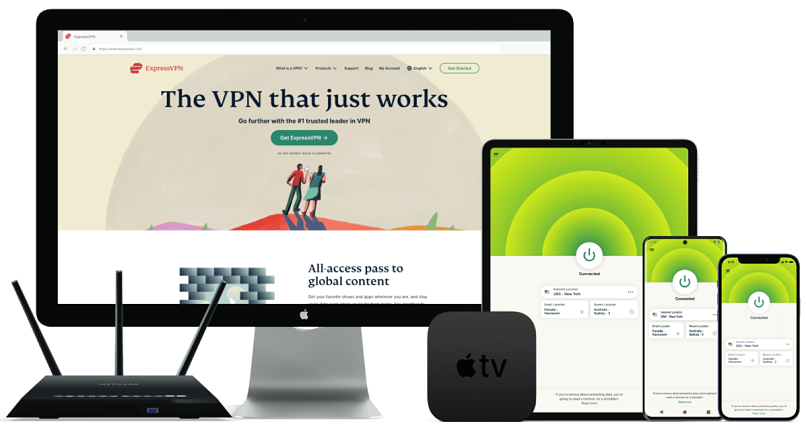
- Best Feature: Lightway protocol keeps your streams lag-free and your data safe
- Server Network: 3,000 servers in 105 countries give you fast worldwide connections
- Simultaneous Device Connections: Up to 14, so you can protect your compatible devices
- Works With: BBC iPlayer, ITVX, Fubo, Peacock, Netflix, Disney+, Amazon Prime Video, (HBO) Max, Hulu, Vudu, DAZN, and more
When it comes to security, ExpressVPN, an official supporter, is the strongest option I've tested. It uses AES-256 encryption (the same standard used by banks and governments) so your data stays protected every time you stream. It also has a verified no-logs policy, meaning none of your activity is ever recorded or stored.
What sets it apart for streaming live sports is its Lightway protocol. It's ExpressVPN's own version of WireGuard, built for speed without compromising on security. In practice, this means your connection stays encrypted and stable even during high-traffic moments.
It works across all major devices and is straightforward to set up, so you won't need to spend much time configuring anything before the first match kicks off.
2. CyberGhost VPN — The Easiest VPN to Set Up Before the First Match

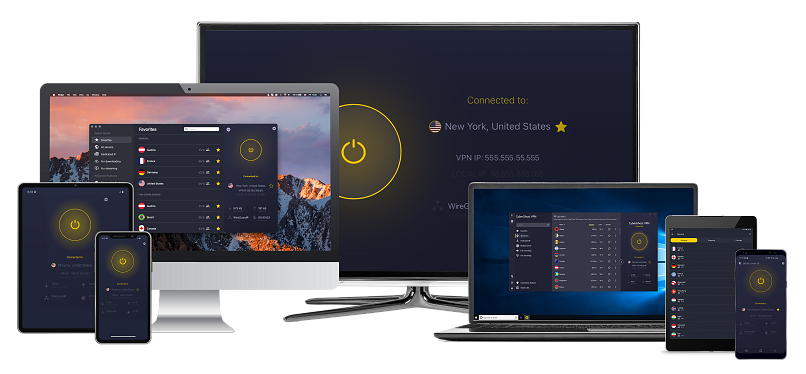
- Best Feature: Easy to set up and get started in just a few clicks
- Server Network: 11,690 servers in 100 countries, so you have lots of different IP options
- Simultaneous Device Connections: Connect up to 7 devices at the same time and protect your connections
- Works With: BBC iPlayer, ITVX, Netflix, Disney+, Amazon Prime Video, (HBO) Max, Hulu, Vudu, and more
If you want a VPN that's ready to go in minutes, CyberGhost is the most straightforward option on this list. The app is clean and intuitive across all major devices and operating systems like Windows, Mac, iOS, Android, and more, so there's no learning curve involved. You download it, connect, and you're protected.
That simplicity doesn't come at the cost of security, though. CyberGhost uses AES-256 encryption and has a strict no-logs policy that's been independently audited, so your data stays private while you stream. It also includes an automatic kill switch, which keeps your connection secure even if the VPN drops unexpectedly.
It also covers up to 7 devices simultaneously on a single subscription, which is handy if you're watching across multiple devices or sharing with family. And with a 45-day money-back guarantee (14 days for monthly plans), it’s easy to give it a try and see if it’s the right fit for you.
3. Private Internet Access — The Most Customizable VPN for the FIFA World Cup 2026™

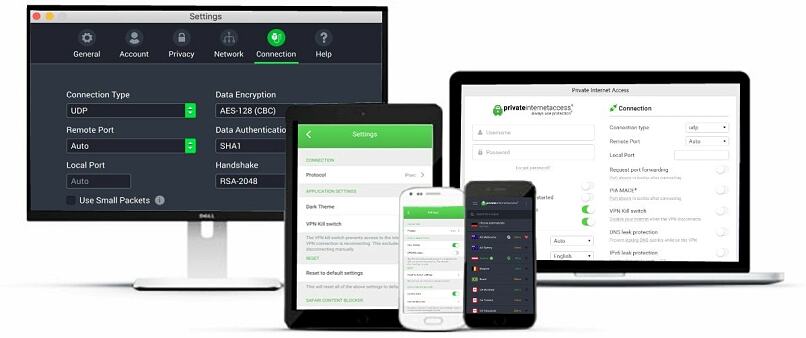
- Best Feature: Tons of adjustable features so you can fine-tune your security
- Server Network: 29,650 servers in 90 countries, including in all US states
- Simultaneous Device Connections: Unlimited, so you can use it on all devices simultaneously
- Works With: Netflix, Disney+, Amazon Prime Video, BBC iPlayer, (HBO) Max, Hulu, Vudu, and more
Private Internet Access is the VPN for people who like to be in control of their security setup. Unlike most VPNs that give you one fixed configuration, PIA lets you adjust your encryption level, choose your tunneling protocol, and fine-tune your connection to suit exactly how you use it.
It uses AES-256 encryption by default, but you can dial it down to AES-128 if you want a lighter footprint on your connection. It also has a built-in ad and malware blocker, PIA MACE, which adds an extra layer of protection while you browse and stream.
It supports unlimited simultaneous connections per subscription, making it a strong option if you're running the VPN across several devices during the tournament. And thanks to its 30-day money-back guarantee for new users, you can try it out without a long-term commitment.
Comparison Table
| Feature | ExpressVPN | CyberGhost | Private Internet Access (PIA) |
| Best For | Security & privacy | Ease of use | Flexibility & customization |
| Encryption | AES-256 | AES-256 | AES-256 / AES-128 |
| No-Logs Policy | Independently audited | Independently audited | Court-verified |
| Kill Switch | ✅ Network Lock | ✅ | ✅ |
| Simultaneous Connections | 14 | 7 | Unlimited |
| Supported Devices | Windows, macOS, Android, iOS, Linux, smart TVs, routers, browsers | Windows, macOS, Android, iOS, Linux, smart TVs | Windows, macOS, Android, iOS, Linux, smart TVs |
| Ad & Tracker Blocking | ✅ | ✅ | ✅ |
| Starting Price | $2.49/month | $1.59/month | $1.33/month |
| Get ExpressVPN | Get CyberGhost | Get PIA |
Stay Private While You Watch the FIFA World Cup 2026™
The FIFA World Cup 2026™ is one of the biggest sporting events in years, and there's no shortage of legitimate ways to watch it. Whatever service you're using, adding a VPN is a simple step that keeps your connection encrypted and your data private throughout the tournament.
Of the three options on this list, ExpressVPN is my top pick. Its security features are the strongest I've tested, it runs quietly in the background.
About the Author
Kristina Perunicic is the chief editor at vpnMentor and a cybersecurity expert specializing in VPNs and digital privacy, with a focus on making complex security topics clear and accessible for everyday users.